Launched on November 18, 2025, alongside the Gemini 3 Pro model, Google Antigravity marks a significant advancement in AI-assisted software development. This free public preview tool redefines the traditional Integrated Development Environment (IDE) by transforming it into an agent-first platform.
Antigravity is a new tool that goes beyond earlier AI coding tools, which primarily offered suggestions. It enables AI to plan, execute, and verify complex tasks throughout your entire workflow.
If you are a developer who knows tools like GitHub Copilot or Cursor, you will find that Antigravity is a natural progression. It transforms AI from a helpful helper to an engaged partner, similar to having a dedicated junior engineer on your team.
Unlike earlier AI coding tools that mainly offer autocomplete or chat-based suggestions, Antigravity enables AI agents to plan, execute, and verify complex tasks throughout your workflow.
What Is Google Antigravity?
Antigravity is a sophisticated desktop IDE built on the Visual Studio Code (VS Code) framework, providing developers with a familiar, extensible environment.
Leveraging the capabilities of Gemini 3 Pro—Google’s cutting-edge coding model released in late 2025, Antigravity also integrates support for third-party models, including Anthropic’s Claude Sonnet 4.5 and a range of open-source GPT variants.
This flexibility enables users to tailor their development experience for diverse tasks and workflows, enhancing both productivity and coding versatility.
The key innovation? Agents aren’t confined to a sidebar chat. They operate autonomously across three integrated “surfaces”:
| Surface | What Agents Can Do | Why It Matters |
| Editor | Read/write code, refactor files, apply fixes, navigate project structure | Handles core coding tasks directly in your files |
| Terminal | Run commands, install dependencies, execute tests, manage git, and debug logs | Automates setup and execution without tab-switching |
| Browser | Launch your app, click elements, fill forms, take screenshots/record videos, and verify UI flows. | Enables end-to-end testing of web apps in real time |
This multi-surface access allows a single agent (or multiple) to build, run, and validate an entire feature without constant human intervention.
The Agent-First Paradigm: From Copilot to Collaborator
You know how most AI coding tools feel like texting a helpful friend? You ask something, you wait, you tweak, you repeatedly like you’re both standing in a slow checkout line, inching forward one prompt at a time. Antigravity doesn’t work like that. Not even close. It leans into an asynchronous, agent-driven style that feels less like chatting with a bot and more like managing a small, energetic engineering team that wakes up ready to prove something.
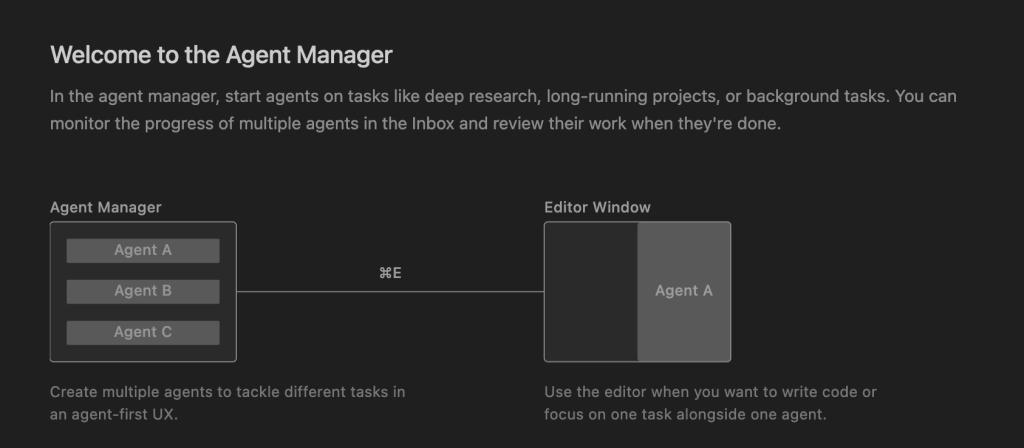
Instead of a single AI stuck in a linear back-and-forth, Antigravity spreads the work across multiple agents that cooperate, cross-check, and occasionally surprise you with how quickly they spin up solutions. It also gives you two main surfaces to keep everything grounded.
Manager View: Your Little “Mission Control” Hub
This is where the excitement begins. Manager View resembles the dashboard you’ve always wanted for real teams: distinct roles, specific tasks, and no passive-aggressive remarks. You can delegate a significant task—like, “Create a flight tracker app with real-time API integration”—and Antigravity immediately begins assembling a team of agents.
One agent dives into API research.
Another starts drafting the backend.
A third explores the UI, testing screens like an inquisitive QA engineer.
They operate simultaneously rather than sequentially. And because they collaborate like a small group with short attention spans and high enthusiasm, they can progress quickly than you anticipate.
Editor View: When You Want That Hands-On Coding Feel
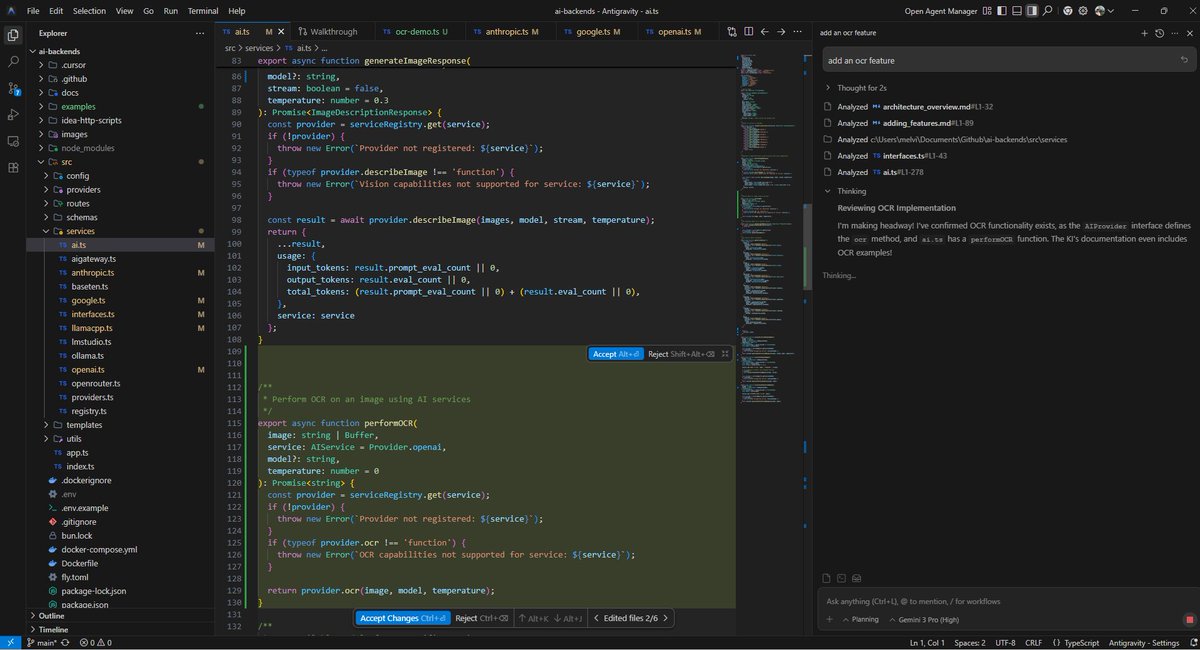
Of course, sometimes you want your editor to feel like an editor. Editor View mirrors that familiar VS Code vibe—tabs, file trees, the whole thing—just with an agent perched in the sidebar waiting for instructions. It’s perfect for moments when you want more control but still appreciate a second set of hands tapping you on the shoulder with suggestions.
How These Agents Actually “Collaborate”
Here’s the thing: they don’t just run in parallel—they actually coordinate.
- One agent plans the flow, outlining steps and assessing the scope.
- Others build by dropping code into the editor, updating files, and adjusting the structure.
- Another validates by running unit tests, watching regressions, and collecting evidence such as logs and screenshots.
It’s teamwork, but without meetings.
The experience feels oddly human at times. You see an agent fix something, then another agent verifies it, then the first one refines its own work because it spotted something new. That kind of cross-checking is what separates Antigravity from the “single copilot” pattern we’ve gotten used to.
Agents Learn Your Preferences Over Time
Maybe the most underrated piece? Antigravity agents pick up your preferences as you work.
After a few sessions, they start recognizing:
- Your folder structure quirks
- How do you like to format components
- Your naming style
- Your default libraries
And they don’t just remember in a single session; they retain reusable knowledge, so future tasks build on past context. It’s not perfect, but it’s enough to feel like the system is growing familiar with you, not just your project.
Artifacts: How Antigravity Builds Trust and Transparency?
Autonomous agents sound powerful but also risky. How do you know they didn’t hallucinate destructive code or break something?
Antigravity addresses this through Artifacts: Human-readable, verifiable deliverables that replace overwhelming raw logs.
Common Artifacts include:
- Step-by-step implementation plans
- Task checklists
- Terminal command logs
- Browser screenshots and video recordings
- Code summaries and diff previews
- Test results and validation reports
You can comment directly on any Artifact (like Google Docs), and the agent incorporates feedback without restarting the entire task. This creates a transparent, auditable trail—essential for production work.
Real-World Use Cases for Google Antigravity
Developers are already using Antigravity for:
- Full-Feature Development — Describe a feature in natural language; agents plan, code, test, and deploy a working prototype.
- UI/End-to-End Testing — Agents launch your app in the built-in browser, navigate flows, and flag visual or functional issues.
- Refactoring Legacy Code — Point to a messy module; agents restructure it while preserving behavior.
- Rapid Prototyping — Build throwaway demos or explore APIs faster than manual coding.
- Debugging — Agents reproduce bugs, inspect logs, and suggest fixes with evidence.
Pricing, Availability, and Getting Started
- Platforms: Windows, macOS, Linux
- Cost: Free during public preview (requires a Google account)
Installation:
- Download from the official site: Antigravity.google
- Sign in with your Google account.
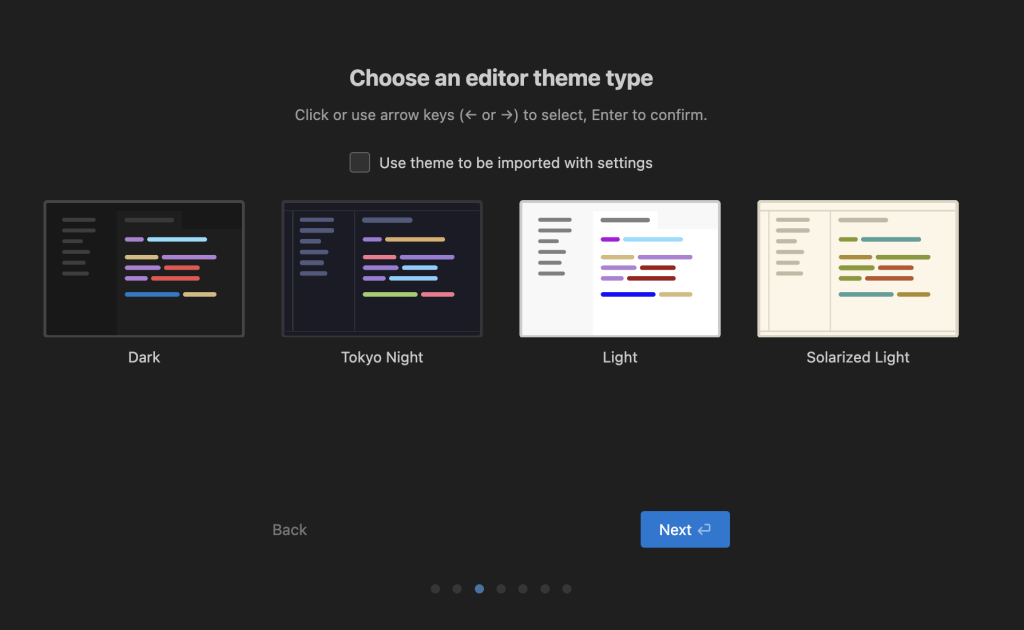
- Import VS Code/Cursor settings (optional but recommended)
- Choose your default model (Gemini 3 Pro is fastest and most capable)
- Open a project and start in Manager View: “Hey Antigravity, build a Todo app with React and Firebase”
Pro tip: Start with non-critical projects. Always review changes and keep git backups.
Limitations and Best Practices (Early Preview)
As a brand-new preview tool (launched just days ago, as of November 20, 2025), expect some rough edges:
- Occasional model overload or rate limits
- Agent loops or over-eager file changes
- Browser automation glitches on complex sites
- macOS login issues reported by some users
Safety rules to follow:
- Never use on sensitive/production repos without review
- Enable git versioning and frequent commits
- Set agent autonomy to “ask before applying changes” initially
- Monitor Artifacts closely
Final Verdict: Is Google Antigravity Worth Trying?
Yes, especially if you’re curious about the future of software engineering. It won’t replace skilled developers overnight, but it dramatically accelerates prototyping, testing, and refactoring.
The combination of Gemini 3 Pro’s reasoning power, multi-surface control, and verifiable Artifacts makes coding feel collaborative in a way no previous tool has achieved.
Download it today, experiment on a side project, and see for yourself why early users are calling it “a bit like magic” with the receipts to prove it works.
Ready for liftoff? Head to Antigravity Google and start building. The agent-first era is here.
Frequently Asked Questions:
What are the system requirements for Google Antigravity?
Windows 10+, macOS 12+, or modern Linux (Ubuntu 22.04+). Minimum 8 GB RAM (16 GB+ recommended for large projects), stable internet connection. No GPU required – all model inference is cloud-based.
Is Google Antigravity completely free?
Yes – the public preview launched on November 18, 2025, is 100% free with no credit card required. Google has not announced any paid tiers or pricing yet.
Are there rate limits in the free version?
Yes. Gemini 3 Pro requests a reset every ~5 hours. Normal usage rarely hits them, but running 10+ agents in parallel or very long sessions can trigger temporary cooldowns.
Is my code and project data private?
Google states that code sent to Gemini 3 Pro follows the same enterprise-grade privacy rules as Google Workspace. Your data is not used to train public models and is deleted after processing. However, always avoid uploading sensitive secrets or proprietary production code during the preview phase.
Can I use Antigravity offline?
No – a constant internet connection is required because all AI reasoning (Gemini 3 Pro, Claude, etc.) happens in the cloud.
Does Antigravity work with private Git repos or monorepos?
Yes. It fully supports Git (clone, commit, branch, push/pull). Very large monorepos (100k+ files) may slow down context indexing, but most real-world projects work fine.